Restaurants lose money every single day without even realizing it. Sometimes it’s a small counting error, and other times, it’s unrecorded waste that accumulates across shifts. Expired produce, proteins ordered twice, or supplies that never show up on paper — individually, they may seem minor. But together, they seriously impact your margin.
This is where a well-structured inventory sheet acts as the first line of control. It shows exactly what you have, what you’re losing, and where your money goes.
Use the right template, and you sharpen purchasing decisions, reduce spoilage, and hold onto profit that would otherwise vanish.
Why Does Restaurant Inventory Management Actually Matter?
Let’s cut to the chase. Inventory monitoring controls your biggest expense. Food costs typically eat up 28-32% of your revenue. That means for every dollar you make, roughly 30 cents goes straight to ingredients.
Now imagine reducing that by just 2%. For a restaurant doing $1 million annually, that’s $20,000 back in your pocket.
But here’s what really happens without proper inventory sheets. You over-order because you’re scared of running out. Food sits too long and spoils. Staff take things home. You have no idea what you actually used versus what you should have used.
A restaurant inventory sheet template fixes all of this. It gives you visibility into what’s happening in your kitchen, your coolers, and your dry storage.
What Makes an Effective Inventory Template?

The best inventory template is simple enough that your team will actually use it. If it’s too complicated, people skip it. If it’s too basic, it misses critical inventory data.
Your restaurant inventory sheet template needs specific columns: Item name, unit of measure, beginning inventory, purchases, ending inventory, and variance. That’s the foundation.
The format matters less than the consistency, though. Whether you use an Excel sheet, a dedicated inventory spreadsheet, or specialized software, pick one system and stick with it.
Many restaurant owners start with a free template to test the process. That’s smart. Learn what works for your restaurant operations before investing in paid solutions.
What are the Different Types of Restaurant Inventory Templates?
Not all inventory templates serve the same purpose. You need different tools for different tasks in your restaurant business.
A food inventory template focuses specifically on perishables. It prioritizes expiration dates and helps you track items with limited shelf life. This is where you monitor proteins, produce, and dairy.
A uniform inventory template standardizes how you organize inventory data across multiple locations. If you run several units or work with catering companies, this consistency becomes non-negotiable for accurate inventory management.
Mind that your restaurant inventory sheet templates should match your inventory process. Quick-service restaurants need different forms than fine dining establishments. A pizza shop has different needs than a steakhouse.
The key is choosing inventory forms that your team can complete quickly. The faster the process, the more likely it is to get done correctly. Time-consuming inventory leads to shortcuts and inaccurate data.
How to Set Up Your Restaurant Inventory Sheet?
To set up your inventory sheet, start by categorizing your inventory and grouping similar food items together in the list. This makes it easier and faster to take inventory and helps you spot patterns in inventory consumption.
Walk through your entire operation. Check every cooler, freezer, dry storage area, and bar. List every single item you stock. Yes, this takes time initially, but you only do it once.
Steps to create your first inventory sheet:
- List all food inventory by category
- Add current par levels for each item
- Include vendor information and item codes
- Set up units that match your ordering (cases, pounds, each)
- Create a system for recording accurate inventory counts
Your inventory spreadsheet should perform the calculations automatically, as manual calculations introduce human error and waste time. If you’re using an Excel sheet, set up formulas for extensions and totals to achieve this.
Don’t forget about inventory items beyond food. Track office supplies, cleaning products, and disposables because everything you buy impacts your cash flow.ce supplies, cleaning products, and disposables. Everything you buy impacts your cash flow.
How Can You Master the Inventory Counting Process?
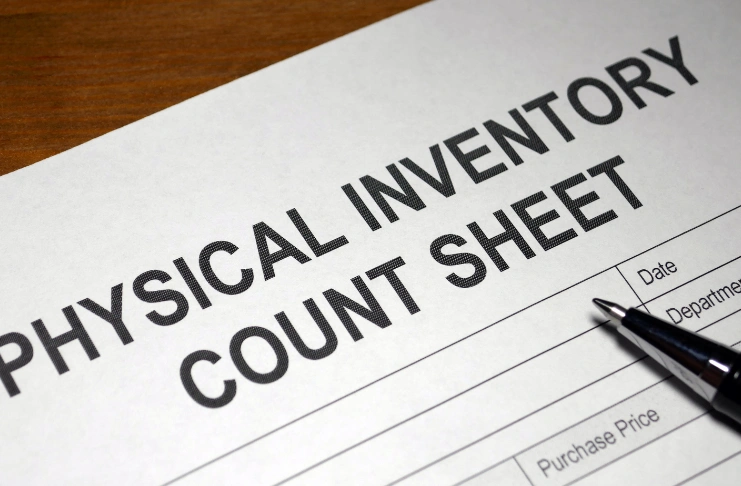
Effective inventory tracking starts with consistent counting. For this, pick the same day and time each week to maintain accuracy in counting. Many restaurants do inventory on Monday mornings or Sunday nights when stock levels are lowest.
Also, assign specific sections to specific people. One person counts proteins, another handles produce, and someone else manages dry storage. This speeds up the process and builds individual accountability.
That said, physical inventory means counting everything. Not estimating, not guessing. You open every box, check every shelf, and record exact amounts. This is how you maintain accuracy.
Note that taking inventory becomes faster with practice. Your first count might take hours. After a few weeks, you’ll cut that time significantly as your team learns the system.
Some restaurants split inventory into A, B, and C categories. A items are high-cost, high-volume products you count on daily. B items get counted weekly. C items monthly. This approach balances accuracy with efficiency.
How to Calculate Food Costs from Your Inventory Data?
Here’s where your restaurant inventory sheet becomes a profit tool. The formula is simple but powerful.
Beginning inventory plus purchases minus ending inventory equals your cost of goods sold. This tells you exactly what you used during the period.
Divide that number by your sales to get your food cost percentage. This metric drives every decision about your restaurant’s profitability.
Basically,
- Add up the beginning inventory value
- Add all purchases during the period
- Subtract the ending inventory value
- Divide by total food sales
- Multiply by 100 for a percentage
Let’s say you started with $10,000 in inventory. You bought $15,000 worth of food, and the closing inventory was $8,000. That equals $17,000 in costs. If you did $50,000 in sales, your food cost is 34%. That’s high for most concepts.
Inventory data lets you spot problems fast. If your calculated usage is 100 steaks but you only sold 85, something’s wrong. Either portion sizes are off, waste is high, or inventory is walking out the door.
Track these numbers weekly. Monthly is too slow to catch issues. By the time you spot a problem in monthly data, you’ve lost thousands of dollars.
How to Use Technology for Better Inventory Management?
Manual inventory sheets work, but technology makes everything easier. Restaurant inventory management software eliminates most human error and saves massive time.
Modern platforms sync with your point-of-sale system. They track every sale in real-time, automatically adjusting your theoretical inventory levels. This creates perpetual inventory that updates constantly.
The best systems generate actionable insights. They tell you which menu items are most profitable, what’s about to expire, and where you’re losing money.
A flexible platform grows with your restaurant business. You can start with basic food inventory management, then add features like recipe costing, menu engineering, and vendor management.
Even simple inventory spreadsheet templates save time compared to paper. Formulas do the math, data sorts easily, and you can share files across your team.
The goal isn’t technology for its own sake. It’s about reducing the time-consuming parts of inventory so you can focus on informed decisions that reduce costs.
How to Organize Your Inventory Storage for Efficiency?

The way you organize your inventory storage affects how efficiently you can track inventory. Poor organization leads to lost items, expired products, and inaccurate counts.
Implement first-in, first-out religiously. Within this, new deliveries go behind existing stock. This simple rule prevents food waste and ensures you use older inventory first.
Further, label everything clearly. Include the item name, quantity, and expiration dates on every container. When inventory items look identical, labels prevent mistakes.
Here’s how you can organize your storage tips:
- Group similar food items together
- Keep high-value items in secure, visible areas
- Use clear containers to see contents quickly
- Mark expiration dates prominently
- Create dedicated zones for different inventory categories
Your dry storage should be organized the same way as your inventory sheet. When the physical layout matches your template, counting goes faster, and errors drop.
Stock levels should be visible at a glance. If you need to move boxes to see what’s behind them, you’ll miss items during counts. Everything should be accessible.
Consider separate inventory forms for different storage areas. One sheet for the walk-in, another for the freezer, a third for dry storage. This prevents overlooking sections during the inventory process.
How to Reduce Food Waste Through Better Inventory Tracking?
Food waste directly attacks your profits. In an average restaurant, 10% of food gets thrown away before it reaches a plate. That’s pure loss.
Effective inventory control catches waste early. When you track inventory consumption against sales, you spot problems immediately. Are portions too large? Is prep waste excessive? Is food spoiling?
Monitoring expiration dates becomes automatic with good inventory sheets. You know which items need to be used soon and can build specials around those approaching their limited shelf life.
Some ways to minimize waste with inventory data include:
- Create alerts for items nearing expiration dates
- Adjust ordering based on actual usage patterns
- Identify slow-moving inventory items
- Right-size portions using consumption data
- Train staff on proper storage to extend freshness
Your inventory template should flag sitting inventory that hasn’t moved. If something sits for weeks, either promote it, reduce your par level, or remove it entirely.
Some restaurants repurpose trimmings into stocks, sauces, or staff meals. Track this in your inventory sheets to get credit for the value. It improves your actual food costs relative to theoretical costs.
The connection between effective inventory tracking and food waste is direct. Better data leads to smarter ordering, reducing spoilage and boosting your bottom line.
How to Create Par Levels and Reorder Points?
Par levels tell you the ideal amount of each inventory item to keep on hand. Too many ties up cash flow and increases waste. Too little causes stockouts and disappointed customers.
Start by analyzing your inventory data over several weeks. Look at usage patterns. How much of a particular item do you use between deliveries?
Your par level should cover that usage plus a small buffer. The buffer accounts for unexpected busy periods or delivery delays.
High-turnover items like produce need tighter pars. You might keep just two days’ worth. Low-turnover items like spices can have higher pars since they last longer.
Review your par levels quarterly. Menu changes, seasonal shifts, and business growth all affect what you need. Your restaurant inventory sheet should evolve as your operation grows.
When inventory levels drop below par, you reorder. Simple as that. This system prevents both overstocking and running out of critical food items.
How Can You Train Your Team on Inventory Procedures?

The best restaurant inventory sheet template won’t be of any use if your team ignores it. Everyone needs training on the inventory process.
Start with why it matters. Help staff understand that accurate inventory counts directly affect their jobs. Lower food costs mean better profitability, which means job security and potential raises.
Create clear procedures for every step. Document how to count, where to record data, what to do with damaged items, and who reviews the completed inventory sheets.
Further, rotate inventory responsibilities. Don’t let one person always count the same section. Fresh eyes catch different issues and prevent complacency.
Review inventory data together. When your team sees how the numbers affect decisions, they take the process more seriously. Show them how accurate inventory tracking helped you avoid over-ordering or catch waste.
Effective inventory management requires buy-in from everyone. The chef needs to care. The line cooks need to participate. Even dishwashers play a role in ensuring inventory items are tracked correctly.
What are the Common Inventory Management Mistakes You Should Avoid?
Even with great inventory templates and strong practices, restaurants make predictable mistakes. But awareness helps you avoid them.
Inconsistent timing ruins your data. If you count Tuesday one week and Thursday the next, you’re comparing different points in your business cycle. Pick one day and stick with it.
Moreover, estimating instead of counting kills accuracy. “Looks like about three cases” is useless data. Count the actual units. Open the boxes. Be precise.
Frequent inventory mistakes:
- Skipping counts when busy (exactly when you need them most)
- Not checking expiration dates during inventory
- Failing to organize inventory data systematically
- Ignoring variances instead of investigating them
- Using different units on the sheet versus the actual stock
Not investigating variances is a huge missed opportunity. When your inventory counts don’t match what should be there, find out why. That’s where you discover theft, waste, portion control issues, or recipe problems.
Many restaurants create elaborate inventory forms, and then never look at the data. Collect inventory information, yes. But it is also important to analyze it, act on it, and use it to make informed decisions.
Some businesses start strong, then get lazy. They maintain accuracy for a month, then start cutting corners. Effective inventory control requires permanent commitment, not temporary enthusiasm.
INDUSTRY INSIGHT
| Studies show that 75% of US restaurants struggle with profitability, specifically because they fail to manage food costs effectively. Even more striking, operators who conduct weekly inventory and meticulously calculate their costs can add 2-5% or more directly to their bottom line. Restaurant inventory management software has proven particularly effective. Operations using dedicated technology reduce inventory mistakes and overstocking by 17% on average, while also cutting the time required for taking inventory by more than half. |
What are the Advanced Inventory Tracking Strategies You Can Use Right Away?

Once you master basic inventory management, several advanced techniques can further reduce costs and improve accuracy.
Perpetual inventory systems track every transaction in real time. Every sale, every waste event, every transfer between locations gets recorded immediately. This gives you up-to-the-minute visibility into stock levels.
Some restaurants also use cycle counting instead of doing a full count all at once. You just count a few items each day and rotate through the list over a week or month. It’s easier on the team and helps you spot problems sooner.
Variance analysis becomes powerful when you dig deeper. Don’t just note that you’re short five steaks. Calculate the dollar impact. Track which items have the highest variance over time. These become your focus areas.
Multi-unit operators need centralized inventory management. A uniform inventory template across locations lets you compare performance, share best practices, and negotiate better with vendors using combined purchasing power.
Catering companies face unique challenges when inventory is consumed off-site. They need mobile inventory forms that travel with the team and sync back to the main inventory spreadsheet.
Should You Use Free Templates Or Custom Solutions?
The answer depends on your restaurant’s size and complexity.
Free restaurant inventory sheet templates work great for single-location operations just starting with inventory tracking. You can find quality options online, customize them for your needs, and begin collecting inventory data immediately.
A basic Excel sheet handles most small restaurant inventory needs. You get the flexibility to adjust columns, perform automatic calculations, and save historical data for analysis.
But free templates have limits. They require manual entry and are confined to one computer unless you use cloud storage. They also can’t integrate with your point-of-sale or accounting systems.
As you grow, dedicated restaurant inventory management software becomes worth the investment. The time savings alone often justify the cost for businesses doing over $500,000 in annual sales.
Custom solutions offer features impossible in spreadsheet templates. Automatic recipe costing, predictive ordering, mobile apps, vendor management, and detailed analytics improve how you handle inventory.
The right time to upgrade is when manual inventory sheets become time-consuming enough that the software pays for itself through labor savings.
How to Make Inventory a Part of Your Restaurant Culture?
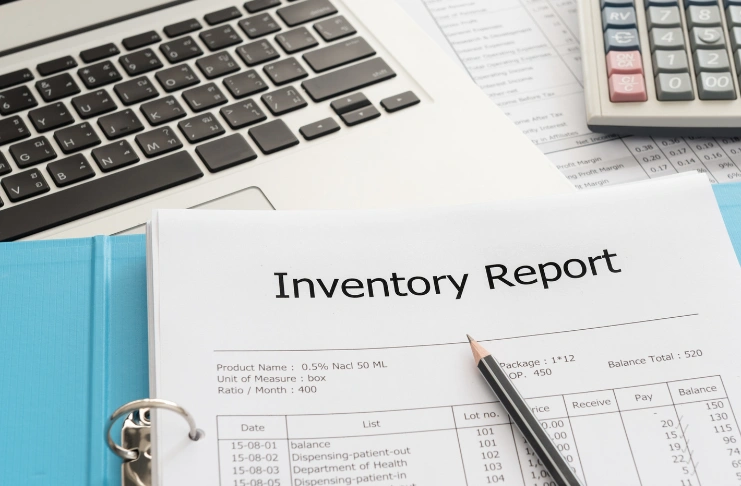
The most accurate inventory management systems succeed because everyone cares about inventory. It becomes part of your restaurant operations culture.
Start by connecting inventory to outcomes that matter to people. Show how better inventory tracking led to menu improvements, cost savings, or solving persistent problems.
Celebrate wins. When your food costs drop, share that success with the team. When you catch a waste issue through inventory data, explain how fixing it benefits everyone.
Restaurant owners who treat inventory as a priority signal its importance to everyone else. If management skips counts or ignores the data, staff will too.
Some restaurants tie staff bonuses to food-cost targets. For example, if the team keeps food cost under 30%, everyone gets a little extra. That way, everyone has a reason to care about inventory, not just management.
Conclusion
You have the knowledge. Now you need the commitment to implement effective inventory control in your restaurant business.
Start this week. Download a free template or create a simple inventory spreadsheet. List your top 20 most expensive food items. Count them. Record the data.
Do this every week for a month. Calculate your food costs. Look for patterns in inventory consumption. Identify where inventory items are disappearing.
After one month of consistent inventory tracking, analyze what you’ve learned. Where are costs higher than expected? What’s being wasted? Are par levels correct?
Make one change based on your inventory data. Maybe you can reduce the number of orders for a slow-moving item. Perhaps you adjust portion sizes on a high-cost menu item. Possibly, you discover theft and address it.
Document your wins. Track how much you save through better inventory management. Use those results to justify investing in better systems, more training, or additional labor for inventory tasks.
Frequently Asked Questions
1. How do I make a restaurant inventory list?
List your food items by category — like proteins, produce, dairy, dry goods, and beverages. Include the unit of measure, the vendor, and the par level for each item. Then organize the list by storage location so it aligns with how your kitchen is actually set up.
2. What do restaurants use to keep track of inventory?
Restaurants use inventory sheets, Excel spreadsheets, dedicated inventory management software, mobile apps, or integrated point-of-sale systems to automatically track inventory with each sale.
3. What is the best inventory method for restaurants?
Weekly full counts usually work well when you also track your high-value items daily. Use first-in, first-out for everything, keep the counting schedule consistent, and regularly compare your theoretical inventory to what’s actually on the shelf.
4. How do you calculate restaurant inventory?
Add beginning inventory value to purchases during the period, then subtract ending inventory value. This gives you the total cost of goods sold. Divide by sales and multiply by 100 to get the food cost percentage.
5. What is included in inventory for a restaurant?
All food items, beverages, dry goods, frozen products, refrigerated items, produce, proteins, dairy, cooking oils, spices, condiments, disposables, cleaning supplies, and office supplies are currently in stock at your location.