
The food delivery boom has reshaped how people eat, and cloud kitchens sit at the center of this shift. These delivery-only restaurants have no dine-in space, yet they generate significant sales through food delivery services and online food ordering.
For restaurant owners and food entrepreneurs, the cloud kitchen model reduces overhead costs, allows multiple brands to run from a single physical space, and creates room for experimentation with new menu items.
The numbers highlight the scale of this movement. The global cloud kitchen market was valued at $64.47 billion in 2023 and is projected to more than double by 2032, reaching $144.71 billion.
In the United States alone, the market is expected to hit $27.47 billion by 2032, powered by demand for delivery services and virtual restaurants. This growth shows the cloud kitchen business is not a short-term trend but a permanent shift in the food and beverage industry.
Yet, running a successful cloud kitchen business depends on more than just a clever business model.
Technology is the backbone of cloud kitchen operations. From order management systems to inventory tracking, every detail relies on software and hardware that keep food preparation on time, delivery drivers coordinated, and customer expectations met.
Without a strong technology stack, it is nearly impossible to maintain consistent food quality, manage multiple brands, or exceed customer expectations in a crowded food industry.
This guide walks through the full cloud kitchen technology setup that you need. It covers the basics every operator must have, the systems that drive efficiency, and the technology shaping future trends in the restaurant industry.
By the end, you will know how to align your cloud kitchen business model with the right technology for efficient operations, customer satisfaction, and long-term scalability.
Why is Technology Central to the Cloud Kitchen Business Model?
Every cloud kitchen starts with the same foundation. Before investing in advanced tools, restaurant owners must lock in the essentials that keep daily operations running smoothly. This stage is about setting up a system that balances cost control with reliable performance.
The first requirement is a stable internet connection. Since cloud kitchen operations depend entirely on online food ordering and delivery platforms, a poor connection can disrupt orders, slow down the order management system, and damage customer satisfaction.
A strong, redundant network setup prevents downtime and protects revenue.
Next comes the hardware. Tablets, printers, and order screens form the bridge between food delivery apps and kitchen staff. Without these tools, orders from delivery services cannot be managed in real time.
A basic but efficient order management setup ensures food preparation starts instantly and reduces delays that frustrate both delivery drivers and customers.
Finally, every cloud kitchen model must account for compliance and safety from the start.
Local regulations require approval from the local health department, and operators must follow food safety standards consistently. This includes investing in proper storage systems and monitoring equipment that help maintain quality while lowering operational costs over time.
These building blocks may seem simple, but skipping them creates long-term inefficiencies. Restaurant owners who start with a strong foundation are far more likely to build a successful cloud kitchen business that can scale into multiple brands and attract customers reliably.
What Basic Technology Does Every Cloud Kitchen Need?
A cloud kitchen business only runs as efficiently as the systems behind it. Restaurant owners can experiment with menus and business models, but without the right tech stack, cloud kitchen operations quickly break down.
Below are eleven tools every virtual kitchen or ghost kitchen should prioritize to maintain consistent food quality, streamline delivery services, and meet customer expectations.
1. Point of Sale (POS) Systems
Your POS management system is the command center of your cloud kitchen business. It connects every part of operations: processing online food orders, managing payments, tracking sales, and syncing with other business tools.
A cloud-based POS is essential because it updates automatically, works across devices, and supports multiple food business brands under one kitchen.
Choose a POS built for cloud kitchens and virtual restaurants. Traditional restaurant POS systems come with unnecessary dine-in features like table management.
Cloud kitchen POS systems focus on what matters most: fast order processing, streamlined kitchen workflow, and delivery platform integration that supports your delivery-only business model.
INDUSTRY INSIGHT
| Recent data shows that 63% of restaurants now use cloud-based POS systems, while only 34% rely on legacy hardware. Cloud-based systems deliver higher reliability, lower overhead costs, and automatic updates, making them the preferred option for modern cloud kitchen businesses. |
2. Online Ordering and Delivery Integration
Your online food ordering system is how customers reach your cloud kitchen. Integration with leading food delivery platforms, direct ordering websites, and mobile apps is critical for attracting new customers and building loyalty.
Start by connecting to the major online food delivery platforms in your market—DoorDash, Uber Eats, Grubhub, and Postmates in the U.S.
Each platform has unique commissions, demographics, and ordering behaviors. Diversifying reduces dependence on a single platform while meeting your unique customer preferences.
Set up a direct ordering channel as well. Delivery apps charge 15–30% commission per order, eating into profit margins. A branded website or mobile app lets customers order directly, saving costs. Reinvest those savings into loyalty programs or discounts to encourage repeat business.
3. Kitchen Display Systems (KDS)
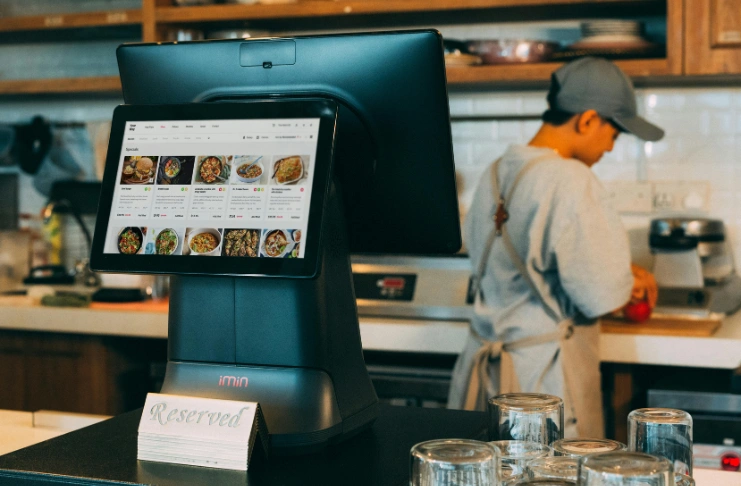
Kitchen display systems (KDS) replace paper tickets with real-time digital order screens, improving order accuracy and food preparation speed. For delivery-only restaurants and virtual kitchens handling multiple brands, a KDS is non-negotiable.
Select displays large enough for kitchen staff to read easily – 15 inches minimum works for most setups. If you operate multiple brands from one kitchen, dedicate separate displays per brand to reduce confusion.
Configure order priority rules in your management system. For example, DoorDash orders with tighter delivery windows should appear first on screen. This ensures food quality, operational efficiency, and keeps delivery drivers on time.
Use color-coded displays to signal urgency. Red for rush orders, yellow for normal, green for low-priority. Visual cues speed up decision-making and improve workflow efficiency.
Highlight special instructions prominently. Allergies, spice levels, and dietary restrictions must be visible to avoid mistakes.
Track prep times automatically. Data on how long menu items take to prepare helps refine recipes, identify bottlenecks, and adjust delivery app prep times. This optimizes customer satisfaction while supporting efficient operations.
Finally, enable order modification tools. Last-minute customer changes should be updated in the KDS without restarting the ticket. This flexibility improves service and avoids wasted effort.
4. Inventory and Supply Chain Management
Inventory is the difference between profit and waste in a cloud kitchen business. An inventory management system tracks ingredient levels in real time, generates alerts for low stock, and automates purchase orders with suppliers.
For operators running multiple brands, centralized inventory is critical. A single bag of flour may support a pizza brand, a bakery concept, and a fried chicken line. Without tracking, one brand can drain resources from the others.
Choose a platform that integrates with your POS so every sale automatically deducts from stock. This visibility prevents last-minute shortages and improves food preparation consistency.
Forecasting tools also help predict demand spikes during weekends or holidays, allowing you to buy smarter and reduce overhead costs.
5. Staff Management and Scheduling
Labor is one of the largest expenses in food service, and poor scheduling drains profits quickly. A staff management system simplifies scheduling, attendance tracking, and payroll integration.
Look for software that supports flexible shift swaps and mobile access. Cloud kitchens often rely on part-time workers, so giving staff control over availability reduces no-shows and improves retention.
Smart scheduling also aligns labor costs with peak order hours. For example, if most orders hit between 6 p.m. and 9 p.m., the system can ensure extra kitchen staff are scheduled during that window while keeping labor lean during slow periods.
6. Customer Relationship Management (CRM) and Loyalty
Cloud kitchens, unlike brick-and-mortar restaurants, do not interact with diners face-to-face, but building customer loyalty is still essential. A CRM collects data from food delivery platforms, websites, and apps to track your target audience’s order history, preferences, and reviews.
This data powers personalized marketing campaigns. For example, if your potential customers order vegetarian dishes twice a week, a loyalty offer on a new plant-based menu item is more likely to drive repeat business.
Loyalty programs should work across multiple brands within a cloud kitchen. Rewarding customers for orders across different virtual restaurants increases opportunities for cross-selling and customer acquisition.
7. Accounting and Finance Software

Managing operational costs is impossible without clear financial records. Cloud-based accounting software connects directly to your POS, delivery platforms, and payroll systems to give real-time financial insights.
Restaurant owners can track revenue, expenses, and profit margins at a brand or kitchen level. Automated bookkeeping also reduces manual errors and ensures compliance with tax reporting.
Some tools even project cash flow based on sales trends, helping operators plan investments in new menu items, equipment, or additional brands. For delivery-only restaurants, this visibility is essential to scale sustainably.
8. Food Safety and Compliance Systems
Health and safety compliance cannot be overlooked in the cloud kitchen model. IoT-enabled monitoring systems track refrigeration, freezer, and storage conditions 24/7, sending alerts if temperatures move outside safe ranges.
These systems not only protect food quality but also serve as documentation during inspections. Digital records of compliance save operators from costly violations and build trust with delivery platforms that prioritize food safety.
For kitchens managing multiple brands, automated compliance ensures consistent quality control across all menus without adding extra staff workload.
9. Data Analytics and Business Intelligence
Running a cloud kitchen without analytics is like cooking without a recipe. Business intelligence tools gather data from your POS, delivery platforms, and customer reviews to uncover performance trends.
Operators can use this data to identify best-selling menu items, track delivery times, and monitor customer satisfaction ratings. Predictive analytics also forecasts demand, allowing kitchens to optimize staff and inventory in advance.
Data-driven decision-making is especially powerful for multi-brand kitchens, where insights help determine which concepts to expand, adjust, or phase out.
10. Marketing and Reputation Management

Marketing tools bridge the gap between virtual restaurants and customers. With no storefront, your online reputation is everything. Tools that track reviews across food delivery apps and social platforms help operators respond quickly to feedback and protect brand visibility.
Automated marketing systems also allow kitchens to run email campaigns, push notifications, and seasonal promotions across multiple brands simultaneously. This reduces marketing workload while boosting customer engagement.
Reputation management is directly tied to delivery app rankings. A well-managed review profile can mean the difference between being recommended to new customers or being buried in search results.
11. Delivery and Logistics Optimization
Fast delivery is a customer expectation, not a perk. Delivery optimization tools track orders, assign drivers efficiently, and monitor delivery times in real time.
Some systems integrate directly with third-party platforms to provide kitchens with visibility into driver locations. Others support in-house fleets, helping operators reduce reliance on aggregator apps.
Optimized delivery logistics shorten wait times, protect food quality, and increase the likelihood of repeat orders. For a cloud kitchen business, this is one of the most direct ways to improve customer satisfaction.
How Will Automation and AI Shape Cloud Kitchen Operations in the Future?
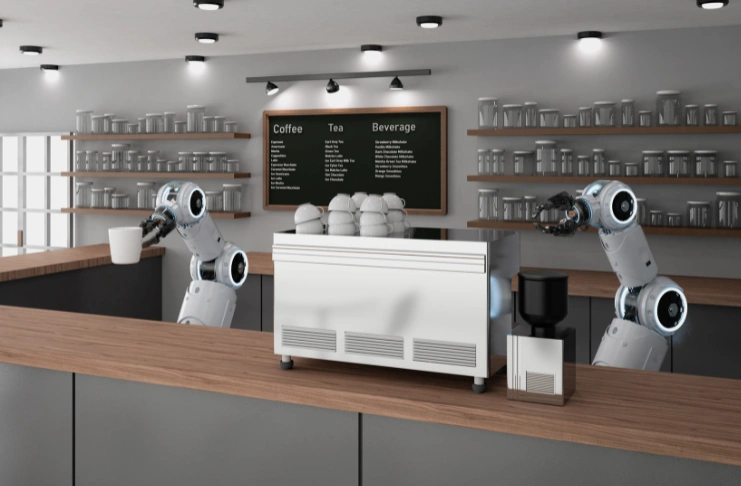
While not yet mainstream in every market, restaurant automation systems and AI are rapidly shaping the cloud kitchen model. From robotic food preparation to AI-powered menu recommendations, these tools extend efficiency and scalability.
AI can also predict customer demand patterns, recommend pricing strategies, and even optimize delivery routes. Operators who adopt these technologies early position their businesses for long-term growth and resilience in a competitive food industry.
Conclusion
Building a successful cloud kitchen business comes down to one thing: using the right tools and systems to keep operations smooth. Technology is no longer optional for restaurant owners entering the food industry. A strong management system, combined with an efficient order management system and inventory management system, makes the difference between growth and collapse.
Food entrepreneurs should study market trends and adapt their cloud kitchen business model to customer preferences.