

Customer feedback drives restaurant success. The right feedback form can transform casual diners into loyal customers while revealing what needs fixing. But most restaurant feedback forms collect dust instead of valuable insights.
How can you encourage customers to complete your feedback form? It all starts with smart design. Your form needs to be quick, engaging, and worth their time. Every question should have a purpose. Every design choice should make responding easier.
A poorly designed form? That’s a missed opportunity.
This guide breaks down the most effective restaurant feedback form design tips. Use them to create forms guests actually want to fill out, and that gather valuable feedback you can act on.
Why Do Most Restaurant Feedback Forms Fail?
Most restaurant feedback forms are too long, too boring, or too hard to find. Customers want to share their dining experience, but they won’t go to great lengths to do it.
Paper forms get ignored. Complicated digital surveys get abandoned halfway through. Generic questions produce generic answers that don’t help your restaurant business improve.
The solution lies in understanding what makes customers want to provide feedback and designing your form around those motivations.
How Long Should Your Feedback Form Be?
Keep your feedback form to 5-7 questions maximum. Customers will spend about 2-3 minutes giving feedback if the questions feel relevant and easy to answer.
Online surveys work best when they fit on one screen. Scrolling reduces completion rates by up to 30%. If you need more information, use a mix of rating scales and one open-ended question.
Short forms get more responses. Long forms get better responses from the customers who complete them. For most restaurants, more responses win.
What Questions Should You Ask?

Start with overall satisfaction using a simple 1-10 scale. This gives you a quick snapshot of the dining experience. Follow up with specific areas that matter most to your restaurant operations.
Ask about food quality, service speed, and staff friendliness. These three factors drive most customer decisions about their next visit. Rate each on a 5-point scale for easy analysis.
Include one open-ended question: “What would make your next visit even better?” This captures suggestions and constructive feedback you might miss with rating questions alone.
Sample questions that work:
- How satisfied were you with your overall experience today? (1-10)
- How would you rate the speed of service? (1-5)
- Was our staff friendly and helpful? (Yes/No/Somewhat)
- How likely are you to recommend us to friends? (1-10)
- What could we improve for your next visit? (Open text)
Which Rating Scale Works Best?
Use 5-point scales for specific questions and 10-point scales for overall satisfaction. The 5-point scale is easier for quick decisions. The 10-point scale gives you more data to work with.
Avoid complex rating systems. “Excellent, Good, Fair, Poor” works better than numbered scales for service-related questions. Customers understand these terms instantly.
Rating scales should be consistent throughout your form. Don’t mix 1-5 scales with 1-10 scales in the same section. This confuses customers and reduces honest responses.
Should You Use Open-Ended Questions?
Include one or two open-ended questions maximum. They provide valuable insights, but take longer to complete and analyze. Place them at the end after rating questions.
The best open-ended questions focus on improvement: “What would make your dining experience perfect?” or “What menu items would you like to see added?” These generate actionable insights.
Avoid vague questions like “Any other comments?” Instead, ask specific questions about the following aspects: menu variety, portion sizes, or atmosphere improvements.
INDUSTRY INSIGHT
| You might be wondering, “Digital vs Paper: Which Format Gets Better Results?” In 2025, digital is obviously the winner. Restaurant businesses using digital feedback tools report 3–4X higher response rates compared to traditional paper forms. This is especially when surveys are mobile-optimized and triggered post-visit. Platforms like ClearlyRated and SnapSurveys confirm that online surveys yield more data, faster turnaround, and fewer errors, making them the preferred method for capturing guest sentiment. Paper forms, while still used in some settings, suffer from low completion rates, delayed analysis, and manual data entry risks. |
Where Should You Place Your Customer Feedback Forms?
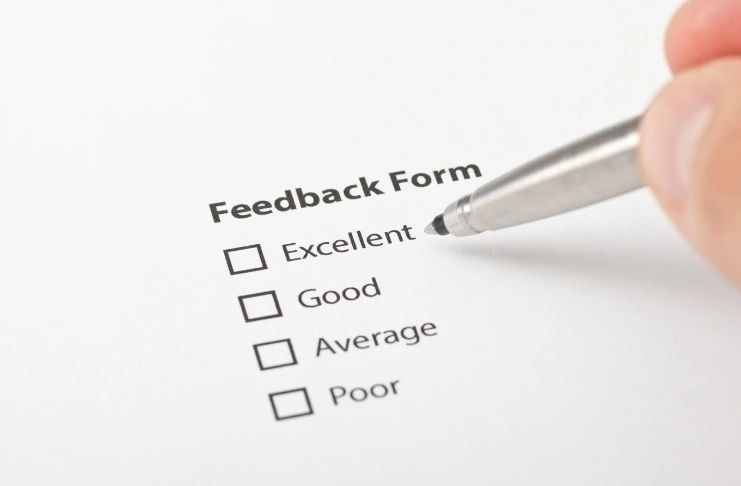
Timing matters more than location. Present feedback requests at the right moment when customers feel satisfied but haven’t left yet. This typically happens when they receive their check or finish their meal.
QR code feedback forms work exceptionally well in such cases. Place QR codes on receipts, table tents, and the restaurant’s social media pages. Customers can scan and respond immediately while their experience is fresh.
Train staff to mention feedback opportunities during positive interactions. “We’d love to hear about your experience today,” goes a long way.
What are the Most Effective Mobile-Friendly Restaurant Feedback Form Design Tips?
According to a Google survey, 94% of respondents reported using mobile devices to complete a digital feedback form. What does this suggest? Your form must work perfectly on phones and tablets.
Use large buttons (at least 44 pixels tall), simple navigation, and minimal typing. Design for thumbs, not mouse clicks. Space elements far enough apart to prevent accidental selections.
Test your form on different screen sizes. What looks good on your laptop might be impossible to use on a phone. Make sure customers can complete the entire form without zooming or horizontal scrolling.
What Incentives Actually Work?
Offer incentives that are “immediate upon completion” to your target audience. A 10% discount on the next visit gets more responses than a chance to win a $100 gift card next month.
Food incentives outperform cash discounts. “Free appetizer on your next visit” is much more effective than “$5 off your next meal,” even when the dollar value is similar.
Make redemption easy. Digital coupons sent via email work better than printed vouchers that customers might lose. Include clear expiration dates and simple redemption instructions.
Effective incentive ideas:
- Free dessert with the next entree
- 15% off next visit
- Priority seating for parties
- Early access to new menu items
How to Encourage Honest Responses?

Create psychological safety by emphasizing that all feedback helps improve the experience. Avoid defensive language in your form introduction. Write “Help us serve you better” instead of “Tell us what we did wrong.”
Anonymous feedback gets more honest responses. Don’t ask for email addresses or names unless you plan to follow up personally. Make it clear that responses are confidential.
Ask specific questions that can’t be answered with generic responses. Instead of “How was the service?” ask “Did your server check on your table within 10 minutes of serving your food?”
What Design Elements Increase Completion Rates?
Use your restaurant’s branding, but keep it minimal. A clean layout with your logo and color scheme builds familiarity without visual clutter. Data has it that 94% of first impressions are based on design. Your form has to look good to earn this trust.
Progress indicators matter. Whether it says “Question 2 of 5” or shows a simple progress bar, guiding the user through the steps makes them more likely to finish. Multi-step forms convert 86% higher than long single-page ones.
And don’t crowd the screen. White space helps reduce friction. Grouped fields and clear labels improve form completion by reducing cognitive strain.
How to Handle Negative Feedback?
Respond quickly to negative feedback, ideally within 24 hours. A fast response shows you take concerns seriously and value customer input. This often prevents bad reviews on review platforms.
Thank customers for honest feedback before addressing their concerns. “Thank you for taking the time to share this experience,” sets a positive tone for problem-solving.
Offer specific solutions, not generic apologies. “We’ll retrain our kitchen staff on proper cooking temperatures,” shows more commitment than “Sorry for the inconvenience.”
Which Technology Platform Should You Choose?
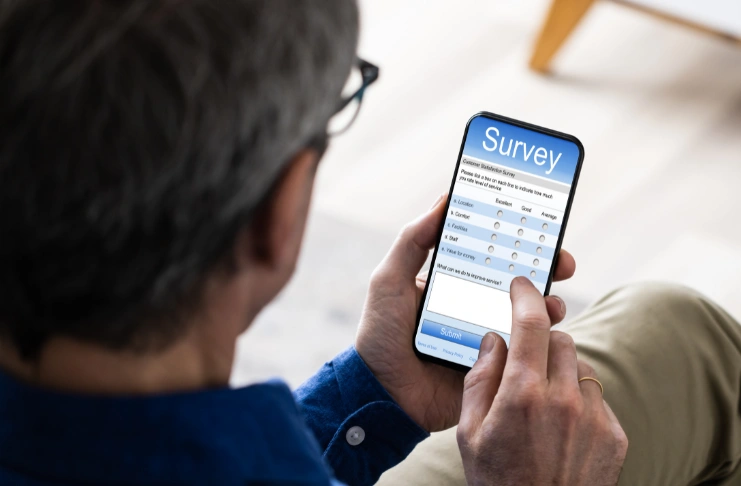
Google Forms works well for simple feedback collection. It’s free, easy to set up, and integrates with other Google tools. Perfect for restaurants just starting with digital feedback.
POS system integration saves time and improves response rates. Customers can provide feedback directly through your point-of-sale system without switching devices or apps.
Mobile apps work for larger restaurant chains with frequent customers. The development cost only makes sense if you have enough regular customers to justify the investment.
How to Analyze Feedback Data?
Look for patterns in customer responses. One customer complaining about cold food might be an isolated incident. Five customers mentioning the same issue indicates a systemic problem.
Track trends over time rather than focusing on daily scores. Customer satisfaction naturally fluctuates. Weekly and monthly averages reveal meaningful changes in your service quality.
Use feedback data to make informed decisions about menu changes, staff training, and operational improvements. Raw feedback is worthless without action.
Create simple dashboards that show:
- Average satisfaction scores by day/week
- Common complaint themes
- Staff performance trends
- Most praised menu items
How Often Should You Review Feedback?
Check feedback daily but analyze trends weekly. Daily monitoring helps you catch and resolve urgent issues quickly. Weekly analysis reveals patterns worth addressing systematically.
Monthly reviews should focus on long-term trends and opportunities for continuous improvement. Use this data for staff meetings, menu planning, and operational changes.
Share positive feedback with your team immediately. Recognition motivates staff and reinforces good behaviors. Post anonymous compliments on staff bulletin boards or mention them in team meetings.
How to Turn Feedback Into Action?

Identify your top three improvement areas from recent feedback. Focus your efforts instead of trying to fix everything at once. Customers notice concentrated improvements more than scattered changes.
Create specific action plans for each improvement area. “Improve service speed” is too vague. “Train servers to take orders within 3 minutes of seating” gives clear direction.
Communicate changes to customers through social media and in-restaurant signage. “Based on your feedback, we’ve added more vegetarian options,” which shows you listen and act.
What Mistakes Should You Avoid?
Don’t ask questions you can’t or won’t act on. If you can’t change your prices, don’t ask about pricing concerns. Ignoring feedback frustrates customers more than not requesting feedback at all.
Avoid leading questions that push customers toward positive responses. “What did you love about your meal?” assumes they loved something. “How would you rate your meal?” stays neutral.
Don’t make feedback mandatory or overly persistent. Pushy requests annoy customers and reduce voluntary participation. Offer the opportunity and let customers choose.
How to Use Social Media for Feedback Collection?
Social media polls get high engagement rates but limited “valuable” feedback. Use them to gather actionable insights about new menu items or service preferences. Save detailed feedback for dedicated forms.
Instagram stories and Facebook polls work well for event feedback and menu testing. Customers enjoy voting on new dishes or sharing preferences through simple poll options.
Social media platforms also provide natural gathering points for existing customer feedback. Monitor mentions, comments, and reviews across all platforms where your restaurant appears.
How Can You Improve Your Restaurant Feedback Forms?

Segment feedback by customer type when possible. First-time visitors need different questions than regular customers. Event attendees have different priorities from casual diners.
A/B test your feedback process quarterly. Try different question orders, incentives, or design elements. Small changes can significantly impact response rates and feedback quality.
Use conditional logic to personalize questions. If someone rates food quality poorly, follow up with specific questions about preparation or temperature. Satisfied customers might have questions about menu expansion.
Time-stamp all responses to identify patterns by day, time, or staff shift. This helps you connect feedback to specific circumstances and identify high-performing periods.
Which Key Metrics Should You Track to Measure Success?
Response rate should be your primary metric. Aim for 15-25% of customers providing feedback. Higher rates suggest your form is user-friendly and valuable to customers.
Net Promoter Score (NPS) measures customer loyalty and likelihood to recommend your restaurant. Track this monthly to gauge overall satisfaction trends and customer retention potential.
Average completion time indicates form difficulty. Forms taking over 3 minutes to complete typically have lower response rates and higher abandonment rates.
Track the percentage of feedback that leads to operational changes. This measures your team’s ability to gather valuable insights and turn feedback into business improvements.
Conclusion
Valuable customer feedback form design balances simplicity with insight. Keep forms short, mobile-friendly, and focused on actionable improvements. Use digital platforms for better response rates and easier analysis.
Ask specific questions, offer appropriate incentives, and make responding easy from any device. Most importantly, act on the feedback you collect.
Your customers want to help you improve. Give them an effortless way to share their thoughts, and they’ll provide the insights needed for long-term success. Start with a simple 5-question form and refine based on what you learn from actual responses.
Remember that collecting customer feedback is just the beginning. The real value comes from analyzing feedback data, identifying trends, and making changes that enhance every customer’s dining experience.
Frequently Asked Questions
1. How to design a good feedback form?
Keep it short (5-7 questions), mobile-friendly, and focused on actionable areas like food quality and service. Use simple rating scales and include one open-ended question for collecting feedback.
2. How to structure a feedback document?
Start with overall satisfaction, then ask specific questions about food, service, and atmosphere. End with an open-ended improvement question and contact information for follow-up if needed.
3. What does a good feedback form look like?
A good feedback form is visually clean, loads quickly on mobile devices, and uses your restaurant branding. It has clear questions, easy-to-tap buttons, and a progress indicator for longer surveys.
4. How to write a questionnaire for a restaurant?
Focus on key areas: overall experience, food quality, service speed, staff friendliness, and likelihood to return. Use a mix of rating scales and one improvement-focused open question.
5. How to make an effective feedback form?
Design for mobile users, keep questions specific and actionable, offer small incentives, and make the form easily accessible through QR codes on receipts and tables.
6. How to write a good review of a restaurant?
Be specific about what you experienced, mention staff members by name when possible, include details about food quality and service timing, and provide constructive suggestions for improvement.
7. How do I create a customer service feedback form?
Focus on service-specific questions: response time, staff helpfulness, problem resolution, and communication quality. Include rating scales and space for specific examples of good or poor service.