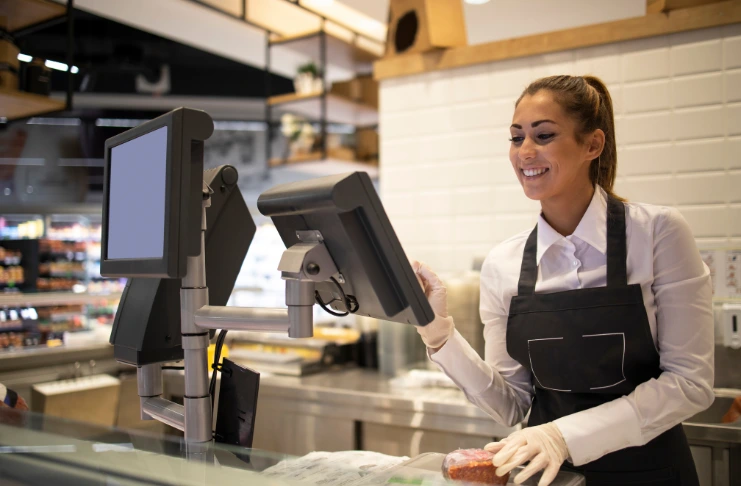

Running a restaurant in today’s competitive landscape is like conducting a complex orchestra. Every section—from the kitchen to the front-of-house, from inventory management to customer relationships—must work in perfect harmony. The conductor’s baton in this symphony? A sophisticated, reliable restaurant POS system that orchestrates every aspect of your business operations with precision and grace.
Whether you’re the proud owner of a cozy neighborhood café where regulars know each other by name, the ambitious manager of a high-volume full-service restaurant that serves hundreds daily, or the entrepreneurial spirit behind a fleet of food trucks bringing gourmet experiences to street corners, one fundamental truth remains constant: your success hinges on having the right technology backbone supporting your vision.
In today’s fast-paced hospitality industry, where customer expectations soar higher each year, and operational margins grow thinner, investing in the best restaurant POS system isn’t just a smart business decision, it’s the difference between thriving in a competitive market and barely surviving the daily grind. The right POS solution transforms your restaurant from a collection of disconnected processes into a well-oiled machine that delivers exceptional experiences while maximizing profitability.
This comprehensive, in-depth guide will take you on a journey through the landscape of top restaurant POS systems, meticulously breaking down their features, pricing structures, hardware compatibility, integration capabilities, and much more. We’ll help you navigate the complex world of POS technology, compare options side by side with detailed analysis, and ultimately identify the perfect POS system for your unique business needs, whether you’re launching an exciting new venture or upgrading your current POS system to meet evolving demands.
Why Choosing the Right Restaurant POS System Matters More Than Ever?
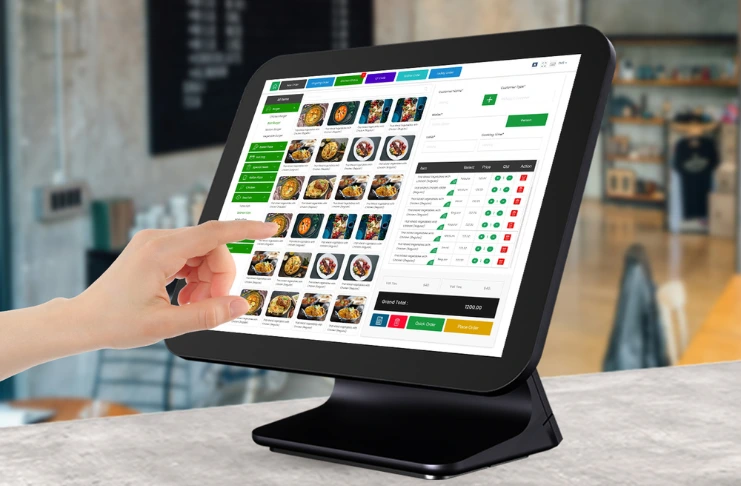
The modern restaurant POS system has evolved far beyond its humble beginnings as a simple cash register replacement. Today’s sophisticated POS solutions serve as the central nervous system of your entire restaurant operation, seamlessly connecting every aspect of your business through intelligent software that thinks, learns, and adapts to your unique needs.
Gone are the days when a POS system merely processed transactions and printed receipts. Today’s restaurant POS systems function as comprehensive business management platforms that integrate everything from inventory tracking and employee scheduling to customer loyalty programs and real-time business intelligence reporting. The right POS solution empowers you to manage your entire operation from one intuitive, user-friendly interface that puts powerful insights and controls at your fingertips.
INDUSTRY INSIGHTS
| A study by the National Restaurant Association found that 76% of restaurant operators see technology as a key competitive advantage. POS systems enhance efficiency, boost order accuracy, shorten wait times, and offer actionable insights through robust analytics. |
The Transformative Benefits of a Robust Restaurant POS System
Streamlined Ordering and Communication: Modern POS systems revolutionize how orders flow through your restaurant. They create seamless communication channels between front-of-house staff and kitchen teams, eliminating the chaos of handwritten tickets and reducing order errors that can damage customer satisfaction. Advanced systems feature kitchen display systems that organize orders by priority, cooking times, and special instructions, ensuring every dish leaves the kitchen at the perfect moment.
Comprehensive Inventory Tracking and Management: One of the most significant advantages of advanced POS systems is their ability to monitor inventory usage in real-time, down to individual ingredients. This granular tracking helps reduce food waste, optimize purchasing decisions, and maintain consistent food costs. Smart inventory management features can automatically alert you when stock levels run low, suggest reorder quantities based on usage patterns, and even predict future inventory needs based on historical data and seasonal trends.
Sophisticated Labor Management Capabilities: Effective staff management becomes effortless with integrated labor management tools. Modern POS systems help you schedule employees more efficiently, track working hours with precision, monitor performance metrics, and manage payroll processes. Advanced systems can even predict staffing needs based on sales forecasts and historical patterns, ensuring you’re never understaffed during busy periods or overstaffed during slow times.
Integrated Payment Processing Excellence: Today’s POS systems support multiple payment methods, from traditional credit cards and cash to mobile payments, contactless transactions, and emerging digital currencies. This flexibility reduces transaction errors, speeds up the payment process, and enhances overall customer satisfaction by offering convenient payment options that meet diverse customer preferences.
Advanced Customer Loyalty and Relationship Management: Building lasting customer relationships is crucial for restaurant success, and modern POS systems excel at this challenge. Integrated customer loyalty programs track purchase history, preferences, and visit frequency, enabling you to create personalized experiences that keep customers coming back. These systems can automatically apply rewards, send targeted promotions, and help you build a database of loyal customers who become brand ambassadors.
Cloud-Based Accessibility and Flexibility: Perhaps one of the most revolutionary aspects of modern POS systems is their cloud-based architecture. This technology allows you to manage your business from anywhere in the world, monitor real-time sales data, adjust menus on the fly, and stay connected to your operation even when you’re not physically present. Cloud-based systems also ensure automatic updates, data backup, and seamless integration with other business tools.
Which is the Best Restaurant POS System for 2025?
| POS System | Best For | Key Features | Standout Advantage |
| Restroworks | Full-service, multi-location restaurants | Advanced features, CRM, inventory, cloud-based | Enterprise-grade scalability |
| Square POS | Small restaurants, cafes, food trucks | Free plan, Square Terminal, loyalty programs | No monthly fee option |
| Toast POS | Full-service restaurants | Online ordering, kitchen display, delivery integrations | Restaurant-specific design |
| Lightspeed | Fine-dining & multi-location | Advanced inventory, CRM, table management | Deep analytics and reporting |
| Touch Bistro | Independent restaurants | Menu & inventory management, staff scheduling | Intuitive iPad interface |
| Clover POS | Fast casual & quick service | Modular hardware, contactless payments | Hardware flexibility |
Which are the Top Restaurant POS Systems?
1. Restroworks: The Enterprise Champion for Modern Restaurant Chains
Restroworks (formerly known as POSist) stands as a testament to what happens when cutting-edge technology meets deep restaurant industry expertise. This feature-rich, cloud-based restaurant POS system has been meticulously crafted for full-service restaurants, enterprise chains, and multi-location outlets that demand nothing less than excellence in every aspect of their operations.
Trusted by over 10,000 restaurants globally, Restroworks has earned its reputation by consistently delivering solutions that streamline operations, enhance customer experiences, and scale efficiently as businesses grow. The platform’s comprehensive approach to restaurant management makes it an ideal choice for operators who want a single solution that handles everything from basic transactions to complex enterprise-level reporting and analytics.
Advanced Features That Set Restroworks Apart:
Revolutionary Inventory Management: Restroworks takes inventory management to unprecedented levels of sophistication. The system provides real-time tracking of ingredients, supplies, and finished products, giving you complete visibility into your inventory at all times. Advanced features include automated wastage control, supplier integration, recipe costing, and predictive ordering based on consumption patterns and seasonal trends.
Comprehensive CRM & Loyalty Programs: The platform’s customer relationship management capabilities rival those of dedicated CRM systems. It creates detailed customer profiles that include purchase history, preferences, allergies, and visit frequency. The integrated loyalty program engine allows you to create sophisticated reward structures, automated email campaigns, and personalized offers that drive repeat business and increase customer lifetime value.
Centralized Menu Management: For multi-location operations, Restroworks’ centralized menu management system is a game-changer. You can update menus, prices, and availability across all locations from a single dashboard, ensuring consistency while allowing for location-specific customizations when needed.
Enterprise-Grade Cloud Infrastructure: The platform’s cloud-based architecture ensures 99.9% uptime, automatic data backup, and seamless scalability. Advanced security measures protect sensitive customer and business data, while the system’s ability to operate offline during internet outages ensures uninterrupted service.
Multi-Location Management Excellence: Restroworks excels at managing complex multi-location operations. The system provides centralized reporting, standardized processes, and location-specific customizations. Franchise owners can maintain brand consistency while allowing individual locations the flexibility to adapt to local market conditions.
Ideal Applications:
- Enterprise restaurant chains with multiple locations
- Fine-dining establishments requiring sophisticated table management
- Casual dining outlets with complex menu structures
- Franchise operations needing centralized control with local flexibility
Investment Considerations: Restroworks operates on a custom pricing model that scales based on the modules you need and the size of your operation. While this approach requires initial consultation, it ensures you pay only for the features you actually use, making it cost-effective for growing businesses.
2. Square POS: The Versatile Champion for Growing Businesses
Square POS has revolutionized the restaurant technology landscape by making sophisticated POS capabilities accessible to businesses of all sizes. Known for its user-friendly design, transparent pricing, and comprehensive ecosystem of business tools, Square has become the go-to choice for entrepreneurs and small to medium-sized restaurant operators who want professional-grade capabilities without the complexity or cost traditionally associated with enterprise systems.
The platform’s genius lies in its simplicity and scalability. You can start with basic features and gradually add more sophisticated capabilities as your business grows, ensuring your POS system evolves alongside your success.
Square POS Features That Drive Success:
Free Plan with Professional Capabilities: Square’s free plan isn’t just a basic offering—it’s a fully functional POS system that includes core features like payment processing, inventory tracking, sales reporting, and customer management. This approach allows new restaurants to access professional-grade tools without upfront software costs, freeing up capital for other critical business needs.
Square Terminal: Innovation Meets Practicality: The Square Terminal represents the perfect fusion of form and function. This compact, all-in-one device combines a point-of-sale system, payment processor, and receipt printer in a sleek, portable package that’s perfect for tableside service, food truck operations, or any situation where mobility matters.
Integrated Customer Loyalty Programs: Square’s loyalty program features are built directly into the system, allowing you to create point-based rewards, offer automatic discounts, and track customer behavior without additional software. The system can automatically enroll customers, track their purchases, and apply rewards seamlessly during checkout.
Comprehensive Menu Management: The platform’s menu management tools make it easy to create, update, and customize your offerings. You can set up modifiers, track ingredient costs, manage seasonal items, and even create different menus for different times of day or locations.
Mobile-First Design Philosophy: Square’s mobile app puts powerful management capabilities in your pocket. You can monitor sales in real-time, adjust inventory levels, manage staff schedules, and even process payments from your smartphone or tablet.
Perfect For:
- Startup restaurants with limited initial capital
- Food trucks and mobile food operations
- Cafes and quick-service restaurants
- Businesses that need flexible, scalable solutions
Pricing Structure: Square’s transparent pricing model eliminates surprises. The basic plan is free, with payment processing fees of 2.6% + 10¢ per transaction. Hardware starts at $299 for a complete setup, and optional paid features can be added as needed.
3. Toast POS: The Restaurant-Specific Powerhouse
Toast POS stands out in the crowded POS marketplace by focusing exclusively on restaurant operations. This laser focus has resulted in a platform that understands the unique challenges, workflows, and requirements of restaurant businesses better than any generalist solution.
Built on a cloud-based, Android-first architecture, Toast has been designed from the ground up to handle the demanding requirements of busy, full-service restaurants that need comprehensive tools for both front-of-house and back-of-house operations.
Toast’s Restaurant-Focused Features:
Integrated Toast Delivery Services: Toast’s delivery management system eliminates the need for third-party delivery platforms while giving you complete control over the delivery experience. The system manages driver dispatch, tracks delivery times, handles customer communications, and provides detailed delivery analytics.
Advanced Kitchen Display System (KDS): Toast’s KDS revolutionizes kitchen operations by organizing orders based on cook times, ingredients, and preparation complexity. The system can automatically fire courses at optimal times, highlight special instructions, and track ticket times to ensure consistent service quality.
Sophisticated Tip Management: The platform’s tip management features handle the complex requirements of restaurant tip distribution. The system can automatically calculate tips based on various methods, split tips among team members, and integrate with payroll systems to ensure compliance with labor regulations.
Comprehensive Online Ordering Platform: Toast’s built-in online ordering system integrates seamlessly with your POS, ensuring menu synchronization, inventory updates, and consistent pricing across all channels. Customers can place orders through your website, mobile app, or third-party platforms.
Advanced Loyalty & Gift Card Programs: The system’s customer retention tools include sophisticated loyalty programs, gift card management, and automated marketing campaigns that help build lasting customer relationships and increase repeat business.
Ideal Applications:
- Full-service restaurants with complex operations
- Fine-dining establishments requiring detailed reporting
- Multi-location brands needing centralized management
- Restaurants with in-house delivery operations
Investment Overview: Toast offers a tiered pricing structure starting with a free Starter Kit, followed by Essentials plans from $69/month and Growth plans from $165/month. Payment processing fees start at 2.49% + 15¢ per transaction, with custom hardware pricing available.
4. Lightspeed: The Analytics and Inventory Expert
Lightspeed has built its reputation on delivering unparalleled depth in inventory management and business analytics. This cloud-based POS system caters to restaurant operators who understand that success comes from making data-driven decisions and maintaining tight control over every aspect of their operation.
The platform’s strength lies in its ability to provide deep insights into business performance, customer behavior, and operational efficiency. For established restaurants and growing brands that need sophisticated tools to optimize their operations, Lightspeed offers capabilities that rival enterprise-level solutions.
Lightspeed’s Advanced Capabilities:
Intelligent Table Management: The system’s table management features go beyond simple floor plan layouts. It optimizes seating arrangements based on party size, server workload, and table turnover rates. Advanced features include waitlist management, reservation integration, and predictive seating algorithms that maximize capacity utilization.
Comprehensive Customer Relationship Management: Lightspeed’s CRM capabilities create detailed customer profiles that include dining preferences, visit history, spending patterns, and special occasions. This information enables highly personalized service and targeted marketing campaigns that increase customer loyalty and lifetime value.
Robust Inventory Management System: The platform’s inventory management capabilities are among the most sophisticated in the industry. Real-time ingredient tracking, automated reorder points, supplier integration, and recipe costing provide complete visibility into food costs and waste patterns.
Advanced Accounting Software Integration: Seamless integration with popular accounting platforms like QuickBooks and Xero eliminates double-entry bookkeeping and ensures accurate financial reporting. The system automatically synchronizes sales data, tax information, and expense categories.
Comprehensive Cloud-Based Architecture: Lightspeed’s cloud infrastructure provides reliable access from anywhere while maintaining robust offline capabilities. The system automatically syncs data when connectivity is restored, ensuring uninterrupted operations.
Target Applications:
- Multi-location restaurants requiring centralized oversight
- Fine-dining establishments needing detailed analytics
- Restaurants focused on optimizing food costs and waste
- Businesses requiring sophisticated reporting capabilities
Pricing Information: Lightspeed’s pricing starts at $69/month for basic plans, with custom pricing available for larger operations. Hardware is sold separately, allowing flexibility in choosing devices that meet specific operational needs.
5. TouchBistro: The Independent Operator’s Choice
TouchBistro has carved out a unique niche by focusing on the specific needs of independent restaurant operators and smaller restaurant teams. The platform’s hybrid cloud infrastructure and iPad-based interface create an intuitive, powerful solution that doesn’t overwhelm users with unnecessary complexity.
The system’s design philosophy centers on providing professional-grade capabilities through an interface that’s so intuitive that staff can master it quickly, reducing training time and improving operational efficiency.
TouchBistro’s Distinctive Features:
Intuitive Menu Customization: The platform’s drag-and-drop menu editor makes it easy to create, modify, and organize menu items. You can set up complex modifier combinations, create seasonal menus, and adjust pricing across different locations or time periods.
Visual Floor Plan Management: TouchBistro’s visual table layout system provides real-time status updates for every table in your restaurant. Servers can see at a glance which tables are occupied, which orders are ready, and which guests need attention.
Comprehensive Labor Management: The system’s scheduling tools help optimize staff coverage while controlling labor costs. Features include shift planning, time clock integration, performance tracking, and automated scheduling based on sales forecasts.
Advanced Customer Loyalty & CRM: Built-in customer relationship management tools track guest preferences, visit frequency, and spending patterns. The loyalty program engine creates personalized rewards and automated marketing campaigns.
Detailed Inventory Management: In-depth inventory tracking provides visibility into ingredient usage, recipe costs, and waste patterns. The system can track inventory at the ingredient level and automatically adjust stock levels based on sales.
Ideal Users:
- Independent cafes, diners, and bistros
- Event-driven or seasonal restaurants
- Establishments prioritizing ease of use
- Restaurants with iPad-based workflows
Investment Structure: TouchBistro’s pricing starts at $69/month, with additional modules available for loyalty programs, reservations, and online ordering. Custom hardware packages provide flexibility in choosing the right setup for your operation.
6. Clover POS: The Flexible Hardware Champion
Clover POS has distinguished itself through its modular approach to POS hardware and software. This flexibility makes it an excellent choice for restaurants that need customizable solutions or operate in unique environments where standard POS setups might not be optimal.
The platform’s strength lies in its ability to adapt to various business models, from quick-service restaurants to hybrid retail restaurant operations that need specialized hardware configurations.
Clover’s Flexible Features:
Modular POS Terminal Options: Clover offers a range of hardware options, including the compact Clover Flex for mobile operations, the Clover Mini for counter service, and the full-featured Clover Station for comprehensive restaurant management. This modularity allows you to choose exactly the hardware that fits your operational needs.
Comprehensive Receipt and Cash Management: The system includes professional-grade receipt printers and secure cash drawers that integrate seamlessly with the POS software. All-in-one hardware kits simplify setup and ensure compatibility across all components.
Advanced Inventory Management Tools: Clover’s inventory management features provide real-time tracking of stock levels, automated reorder alerts, and detailed reporting on product performance. The system can track inventory across multiple locations and integrate with supplier systems.
Sophisticated Customer Loyalty Tools: The platform’s customer engagement features include email marketing campaigns, point-based loyalty programs, and automated promotional offers. Integration with customer data creates personalized experiences that drive repeat business.
Professional Restaurant Hardware: Clover’s hardware is designed for the demanding restaurant environment, with durable construction, fast processors, and reliable performance under heavy use.
Perfect Applications:
- Quick-service and fast-casual restaurants
- Hybrid retail-restaurant businesses
- Operations requiring specific hardware configurations
- Businesses prioritizing payment processing speed
Cost Structure: Clover plans start at $39.95/month, with hardware packages beginning at $599 depending on the configuration. Payment processing fees start at 2.3% + 10¢ per transaction.
What are Some Critical Considerations for Choosing Your Restaurant POS System?

Before investing in a POS, it’s essential to evaluate key factors that align with your restaurant’s unique needs, operations, and growth goals.
Understanding Your Business Model and Requirements
The foundation of selecting the right POS system lies in thoroughly understanding your specific business model, operational requirements, and growth objectives. Different restaurant types have vastly different needs, and choosing a system that aligns with your specific model is crucial for long-term success.
Full-Service vs. Quick-Service Operations: Full-service restaurants require sophisticated table management, complex order modification capabilities, tip distribution systems, and detailed reporting on server performance. Quick-service establishments prioritize speed, simplicity, and throughput optimization. Understanding where your operation falls on this spectrum helps narrow down appropriate solutions.
Single Location vs. Multi-Location Management: Single-location restaurants can focus on depth of features and ease of use, while multi-location operations require centralized management, standardized reporting, and the ability to maintain consistency across locations while allowing for local customization.
Food Truck and Mobile Operations: Mobile food operations have unique requirements, including compact hardware, reliable mobile connectivity, battery life considerations, and weather-resistant equipment. The POS system must be portable, durable, and capable of operating in various environments.
Budget Planning and Total Cost of Ownership
Understanding the complete financial picture of POS system ownership goes far beyond the advertised monthly subscription fee. A comprehensive budget analysis should include all costs associated with implementing and operating your chosen system.
Monthly Software Fees and Scalability: Most POS systems charge monthly fees that scale with the number of terminals, locations, or advanced features you need. Consider not just your current needs but your projected growth over the next 2-3 years to avoid costly system changes.
Hardware Investment and Longevity: POS hardware represents a significant upfront investment that should be amortized over several years. Consider the durability, upgradeability, and manufacturer support for the hardware you’re considering. Some systems offer hardware-as-a-service options that can reduce upfront costs.
Payment Processing Fees and Volume Discounts: Payment processing fees typically represent the largest ongoing cost of POS system ownership. These fees vary based on transaction volume, average ticket size, and the mix of payment methods. Many providers offer volume discounts for high-transaction businesses.
Implementation and Training Costs: Factor in the costs of system setup, data migration, staff training, and any operational disruption during the transition period. Some providers include these services in their pricing, while others charge separately.
Essential Features for Modern Restaurant Operations
Today’s competitive restaurant landscape demands POS systems that go far beyond basic transaction processing. Understanding which features are essential for your operation helps ensure you choose a system that supports both current needs and future growth.
Advanced Inventory Management Capabilities: Modern inventory management goes beyond simple stock counting. Look for systems that provide ingredient-level tracking, automated reorder points, supplier integration, recipe costing, and waste tracking. These features help optimize food costs and reduce waste.
Comprehensive Menu Management: Your POS system should make it easy to manage complex menus with modifiers, seasonal items, and pricing variations. Advanced systems allow for time-based menu changes, location-specific offerings, and integration with online ordering platforms.
Customer Loyalty and CRM Integration: Building customer relationships is crucial for long-term success. Look for systems that provide robust customer tracking, automated loyalty programs, email marketing integration, and detailed customer analytics.
Kitchen Display System Integration: Modern kitchens benefit from digital order management that organizes tickets by cook time, highlights special instructions, and tracks ticket times. This technology improves order accuracy and kitchen efficiency.
Robust Reporting and Analytics: Comprehensive reporting capabilities provide insights into sales trends, menu performance, staff productivity, and customer behavior. Look for systems that offer real-time dashboards, customizable reports, and data export capabilities.
Integration Requirements and Ecosystem Compatibility
Your POS system doesn’t operate in isolation—it needs to integrate seamlessly with other business systems and tools you use to manage your restaurant. Understanding integration requirements upfront helps avoid costly compatibility issues later.
Accounting Software Integration: Seamless integration with accounting platforms like QuickBooks, Xero, or Sage eliminates double-entry bookkeeping and ensures accurate financial reporting. Look for systems that automatically sync sales data, tax information, and expense categories.
Delivery Platform Integration: If you offer delivery services, your POS system should integrate with major delivery platforms like DoorDash, Uber Eats, and Grubhub. This integration ensures menu synchronization, inventory updates, and centralized order management.
Online Ordering and E-commerce: Your POS system should support online ordering through your website, mobile app, or third-party platforms. Integration ensures consistent pricing, menu availability, and inventory tracking across all sales channels.
Payroll and HR System Integration: Integration with payroll systems automates time tracking, tip distribution, and wage calculations. This integration reduces administrative overhead and ensures compliance with labor regulations.
Scalability and Future-Proofing Your Investment
Choosing a POS system is a long-term decision that should support your business growth for years to come. Understanding scalability considerations helps ensure your chosen system can evolve with your business.
Multi-Location Support and Franchise Management: If you plan to expand to multiple locations, choose a system that provides centralized management, standardized reporting, and the ability to maintain brand consistency while allowing for local customization.
Volume Handling and Performance: Consider your peak transaction volumes and choose a system that can handle your busiest periods without performance degradation. Cloud-based systems typically offer better scalability than on-premise solutions.
Feature Expansion and Module Addition: Look for systems that allow you to add new features and capabilities as your business grows. Modular systems provide flexibility to expand functionality without changing your core POS platform.
What are Some Specialized POS Solutions for Different Restaurant Models?

Different restaurant formats demand tailored POS features—here’s how to choose a system built for your specific service model.
Quick-Service Restaurants: Speed and Efficiency Focus
Quick-service restaurants operate in a high-volume, fast-paced environment where every second counts. The ideal POS system for QSRs prioritizes transaction speed, order accuracy, and throughput optimization while maintaining simplicity for staff and customers.
Key requirements include fast checkout processes, limited but flexible menu management, integrated payment processing for multiple payment types, and real-time inventory tracking for popular items. The system should support various ordering methods, including counter service, drive-through, and mobile ordering.
Full-Service Restaurants: Comprehensive Management Needs
Full-service restaurants require sophisticated POS systems that manage complex operations, including table service, detailed order modifications, tip management, and integration with kitchen operations. These establishments need systems that support multiple service styles and complex workflow management.
Essential features include advanced table management, detailed order modification capabilities, integrated tip calculation and distribution, kitchen display system integration, and comprehensive reporting on server performance and table turnover.
Food Trucks: Mobile and Flexible Solutions
Food truck operations have unique requirements, including portability, battery life, weather resistance, and reliable mobile connectivity. The POS system must be compact, durable, and capable of operating in various locations and conditions.
Critical features include compact, portable hardware, long battery life, cellular connectivity options, weather-resistant construction, and integration with mobile payment processing.
Multi-Location Restaurants: Centralized Control with Local Flexibility
Multi-location operations require POS systems that provide centralized oversight while allowing individual locations the flexibility to adapt to local market conditions. These systems must support standardized processes while accommodating location-specific requirements.
Key capabilities include centralized menu and pricing management, location-specific customization options, consolidated reporting across all locations, standardized staff training and procedures, and franchise management tools.
What are Some Essential POS hardware? How Do They Help?
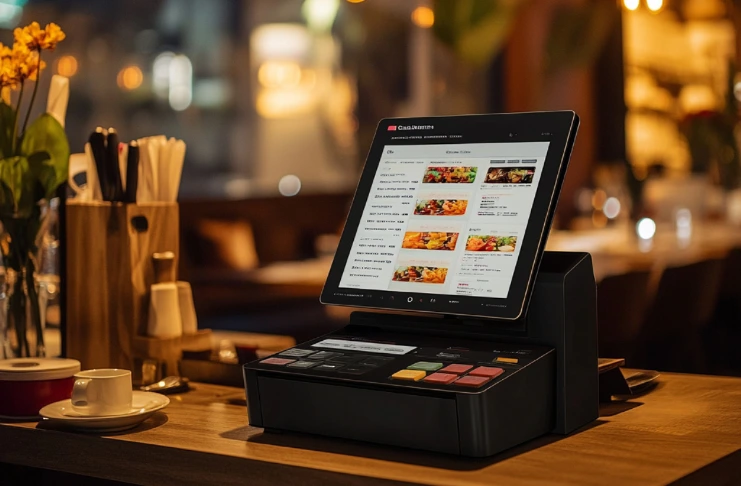
The right POS hardware forms the backbone of your restaurant’s tech setup—here’s what you need to operate smoothly and efficiently.
POS Terminals: The Heart of Your System
The choice of POS terminals significantly impacts daily operations, staff productivity, and customer experience. Modern terminals range from simple tablet-based systems to sophisticated all-in-one units with integrated features.
iPad and Tablet-Based Systems: Tablet-based POS systems offer portability, familiar interfaces, and cost-effective implementation. They’re ideal for businesses prioritizing mobility and ease of use. However, they may require additional accessories for complete functionality.
All-in-One Terminal Systems: Integrated terminals combine all necessary components in a single unit, including the display, processor, payment processing, and often receipt printing. These systems offer a professional appearance and reliable performance but may be less portable.
Modular Terminal Systems: Modular systems allow you to configure hardware components based on specific needs. This flexibility enables customization for unique operational requirements while maintaining upgradeability.
Payment Processing Hardware: Accepting All Payment Types
Modern payment processing hardware must accommodate diverse payment preferences, including traditional credit cards, contactless payments, mobile wallets, and emerging payment technologies.
EMV Chip Card Readers: EMV compliance is mandatory for credit card acceptance. Modern readers should support both chip insertion and contactless tapping for maximum flexibility and security.
Contactless Payment Capability: NFC-enabled readers support contactless credit cards, mobile wallets like Apple Pay and Google Pay, and other tap-to-pay technologies that customers increasingly prefer.
Mobile Payment Integration: Integration with mobile payment platforms ensures you can accept payments from various smartphone apps and digital wallets, providing convenience for tech-savvy customers.
Kitchen Display Systems: Modernizing Kitchen Operations
Kitchen Display Systems (KDS) replace traditional paper tickets with digital screens that organize orders, track cooking times, and improve kitchen efficiency.
Order Organization and Prioritization: KDS systems organize orders based on cook times, item complexity, and special instructions. This organization helps kitchen staff prioritize tasks and maintain consistent service times.
Timer Integration and Alerts: Advanced KDS systems include built-in timers that alert kitchen staff when items should be started or completed. This feature helps maintain food quality and service consistency.
Integration with Front-of-House Systems: Seamless integration between KDS and front-of-house POS ensures real-time communication about order status, modifications, and completion times.
Receipt Printers and Cash Management
Despite the trend toward digital receipts, physical receipt printing remains important for many operations, and cash handling still requires secure, efficient systems.
Thermal Receipt Printers: High-speed thermal printers provide reliable receipt printing with minimal maintenance requirements. Look for printers that support various receipt formats and integration with your POS system.
Secure Cash Drawers: Modern cash drawers offer secure storage with electronic locks, multiple bill compartments, and integration with POS systems for automatic opening and cash tracking.
Dual-Station Printing: Many restaurants benefit from dual receipt printing—one copy for the customer and another for kitchen or service staff. This capability ensures order accuracy and provides backup documentation.
How to Maximize Customer Loyalty Through POS Technology?

Modern POS systems do more than process payments—they help build lasting customer relationships through integrated loyalty features.
Building Comprehensive Customer Profiles
Modern POS systems excel at collecting and analyzing customer data to create detailed profiles that drive personalized experiences and increase customer loyalty. These profiles go beyond basic contact information to include dining preferences, visit frequency, spending patterns, and behavioral insights.
Advanced Customer Data Collection: Sophisticated POS systems automatically capture customer information through various touchpoints, including payment methods, loyalty program participation, online ordering accounts, and reservation systems. This comprehensive data collection creates rich customer profiles without requiring additional effort from staff or customers.
Behavioral Analysis and Segmentation: Advanced analytics engines analyze customer behavior patterns to identify high-value customers, predict future visits, and segment customers based on preferences and spending habits. This segmentation enables targeted marketing campaigns and personalized service experiences.
Preference Tracking and Personalization: The system tracks individual customer preferences, including favorite dishes, dietary restrictions, special occasions, and service preferences. This information enables staff to provide personalized recommendations and anticipate customer needs.
Implementing Effective Loyalty Programs
Modern loyalty programs go far beyond simple punch cards or point accumulation. Today’s sophisticated systems create emotional connections with customers through personalized rewards, exclusive experiences, and meaningful recognition.
Point-Based Reward Systems: Traditional point-based systems remain popular but have evolved to offer more flexibility and personalization. Customers can earn points for various actions, including purchases, referrals, social media engagement, and special events.
Tiered Loyalty Programs: Multi-tier loyalty programs create aspirational value by offering increasing benefits as customers reach higher tiers. This approach encourages increased spending and visit frequency while making top-tier customers feel valued and exclusive.
Automated Reward Distribution: Advanced systems automatically apply rewards at appropriate times, send personalized offers via email or SMS, and track redemption rates to optimize program effectiveness.
Birthday and Anniversary Recognition: Automated recognition of special occasions creates emotional connections with customers. The system can send personalized offers, remember important dates, and suggest special experiences.
Leveraging Data for Targeted Marketing
Customer data collected through POS systems provides valuable insights for targeted marketing campaigns that drive repeat business and increase customer lifetime value.
Automated Email Marketing Campaigns: Integration with email marketing platforms enables automated campaigns based on customer behavior, preferences, and visit patterns. These campaigns can include personalized recommendations, special offers, and event invitations.
SMS Marketing and Instant Communication: Text messaging provides immediate communication with customers for time-sensitive offers, last-minute availability, and urgent updates. SMS campaigns typically achieve higher open rates than email.
Social Media Integration: Modern POS systems can integrate with social media platforms to encourage customer engagement, facilitate review generation, and expand brand reach through customer advocacy.
How to Control Food Costs and Wastes?
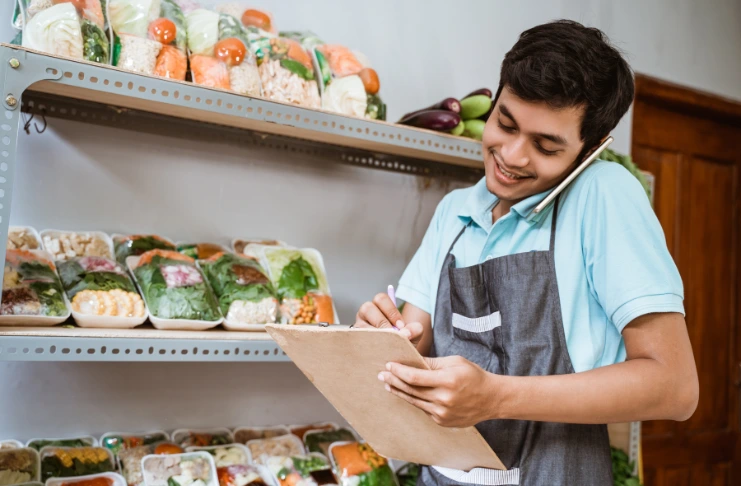
A powerful POS with advanced inventory tools helps you track ingredients, reduce waste, and keep food costs under control.
Ingredient-Level Tracking and Recipe Management
Modern inventory management systems provide unprecedented visibility into ingredient usage, recipe costs, and waste patterns. This granular tracking enables precise cost control and waste reduction strategies.
Real-Time Ingredient Monitoring: Advanced systems track individual ingredients as they’re used in recipes, providing real-time visibility into stock levels and usage patterns. This information helps optimize purchasing decisions and reduce waste.
Recipe Costing and Profitability Analysis: Detailed recipe costing capabilities calculate the exact cost of each menu item based on current ingredient prices. This analysis helps optimize menu pricing and identify the most profitable items.
Automated Reorder Point Management: Smart inventory systems automatically calculate reorder points based on usage patterns, lead times, and seasonal variations. This automation prevents stockouts while minimizing carrying costs.
Waste Tracking and Cost Optimization
Food waste represents a significant cost for most restaurants, and advanced POS systems provide tools to track, analyze, and reduce waste across all areas of operation.
Waste Pattern Analysis: Comprehensive waste tracking identifies patterns in food waste, including which items are most frequently wasted, when waste occurs, and the root causes of waste. This analysis enables targeted waste reduction strategies.
Predictive Ordering Based on Historical Data: Advanced systems analyze historical sales data, seasonal patterns, and external factors to predict future demand. This predictive capability helps optimize ordering quantities and reduce waste from over-purchasing.
Supplier Integration and Automated Ordering: Integration with supplier systems enables automated ordering based on predetermined stock levels and usage patterns. This automation reduces manual effort while ensuring optimal inventory levels.
Cost of Goods Sold (COGS) Analysis
Understanding and controlling COGS is crucial for restaurant profitability
What to Expect in POS System Pricing?
Key Cost Factors:
- Monthly Software Fees: Free to $300+/mo depending on features
- Hardware Costs: $300 to $2,000+ based on setup
- Payment Processing Fees: 1.5% to 3.5% per transaction
- Custom Pricing: For larger businesses
Choose based on your revenue scale, business model, and growth expectations.
Conclusion
The best restaurant POS systems are not one-size-fits-all. The “right” solution depends on your restaurant’s size, model, goals, and budget. Whether you’re a startup looking for a free plan, an established brand exploring multi-location management, or a food truck needing mobile POS, there’s a system tailored to your needs.
With advanced POS features, improved labor management, seamless payment processing, and enhanced customer loyalty tools, modern POS systems are more than a sales terminal—they’re the foundation for your restaurant’s success.
Explore free demos, read in-depth reviews, and consult with your team before committing. The right POS solution will save you time, improve efficiency, and drive long-term growth.
Explore. Compare. Thrive.
Frequently Asked Questions
1. What POS system is best for restaurants?
It depends on your restaurant’s size and needs—Restroworks is great for enterprise chains, Toast for full-service restaurants, and Square for small eateries.
2. What POS system does Gordon Ramsay use?
While specifics aren’t publicly confirmed, Gordon Ramsay Restaurants have used high-end enterprise POS systems tailored to large-scale, multi-location operations.
3. Is Toast or Square better?
Toast is better for full-service restaurants with complex needs; Square is ideal for small, quick-service spots and food trucks.
4. What is the most popular POS system for restaurants in AI?
Restroworks, Toast and Lightspeed are integrating AI features like predictive sales and smart inventory, making them top picks for AI-ready POS.
5. What is the best POS system for restaurants?
Restroworks, Toast, and Lightspeed rank among the best depending on your size, budget, and feature needs.
6. Which billing software is best for restaurants?
For billing, Restroworks, TouchBistro, and Square offer reliable invoicing and billing features integrated with payment processing.
7. What software do most restaurants use?
Most restaurants use Toast, Square, Lightspeed, or Clover due to their ease of use, integrations, and scalability.
8. What POS system do most restaurants use?
Restroworks, Toast and Square are among the most commonly used systems, depending on the restaurant’s size and service type.
9. Is toast or square better?
Toast is better for dine-in operations; Square is better for small, mobile, or counter-service restaurants.
10. What are the 4 types of POS systems?
Cloud-based POS, Legacy (on-premise) POS, Mobile POS, Self-service kiosks are the 4 types of POS systems.
11. How much does a POS system cost for a restaurant?
Costs range from free (like Square) to $300+/month for advanced systems, plus hardware and payment processing fees.